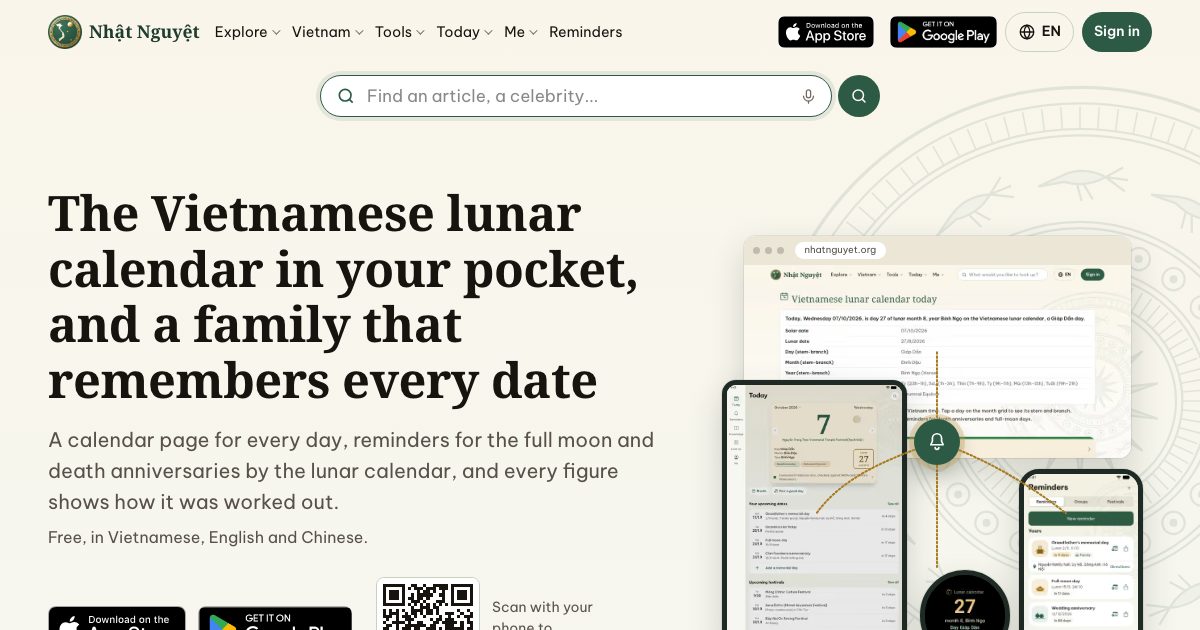

One reminder, the whole family: set a lunar death anniversary once, and everyone is told every year
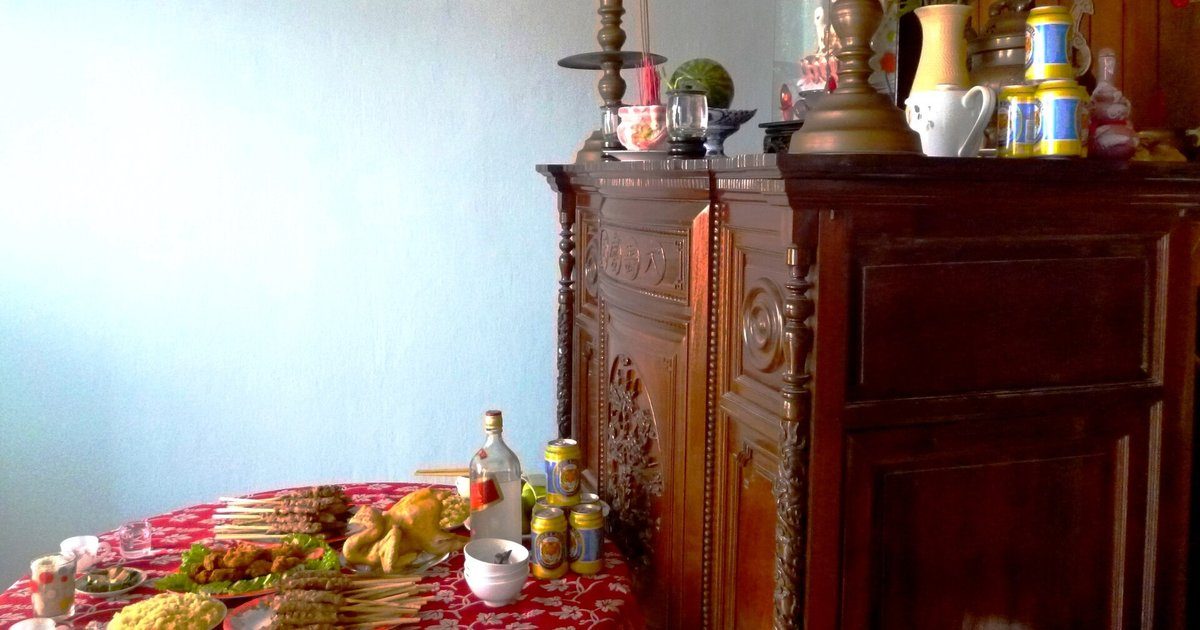
Image: Phương Huy (CC0, public domain), source
Tuấn's family holds the death anniversary (giỗ) of their grandfather on the 14th day of the 9th lunar month. Last year that was Monday 3 November, this year it is Friday 23 October, next year Wednesday 13 October. The lunar date stays put while the solar date moves every year, so every year someone asks in the group chat: "When is Grandfather's giỗ this year?"
The youngest aunt in Đà Nẵng needs to ask for leave a week ahead. The eldest son in Hà Nội does the shopping. One of the children lives far away and can only call home. The reminders are scattered across messages, and every year someone hears too late.
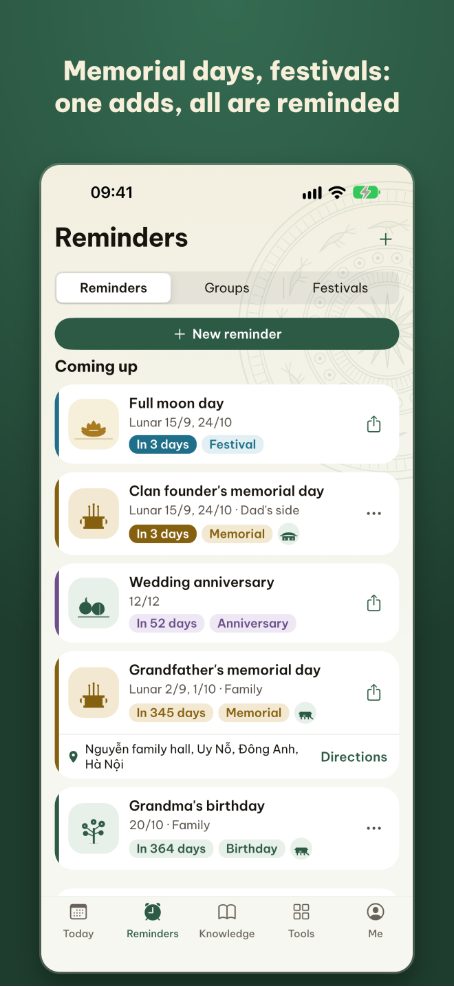
One reminder, the whole family puts all of that in one place: one person sets the anniversary by its lunar date once, and the whole family group is told every year, on the right solar date for that year, on whatever device each person uses. The same reminder carries a plan for sharing out the tasks, comments, photos from every year and a way to the prayer text.
How do you set a reminder by lunar date?
Enter the lunar date once and the app works out the solar date every year.
- Open the Reminders tab, tap New reminder and pick a type: death anniversary, full moon, festival, birthday...
- Choose Lunar, enter the lunar day and month, and let it repeat every year. For the full moon or the first of the month, repeat monthly.
- Under Who is this for?, choose the group that should be reminded.
More options holds the alert time and how far ahead to alert. In a year where the anniversary month has a leap month, you choose to be alerted in the regular month, the leap month or both. If the anniversary is on day 30 and that lunar month has only 29 days, the alert comes on day 29.
To see which solar dates the anniversary falls on in the coming years, use the date converter.
How many advance alerts can you set?
Up to three advance alerts, plus one on the day. The choices are:
- 1 day, 3 days
- 1 week, 2 weeks
- 1 month
A new anniversary reminder starts with alerts 1 week and 1 day ahead, enough to ask for leave and travel home. Add one a month ahead if the family needs more time to plan. A monthly reminder can alert at most one week ahead.
At each alert, everyone in the group is notified at the same time the person who set it chose.
How do you invite relatives into a group?
Create a group, send the invite link, and the person who receives it taps to join.
- In the Groups section of the Reminders tab, tap Create group and name the group, for example "Dad's side" or "Mum's family".
- Send the invite link or invite code in a message. On a device with the app, the link opens the app; without it, the person signs in and joins on the web.
- The person who creates the group is its admin and can make others admins too.
Admins add and edit group reminders straight away. When another member adds or edits one, it becomes a request that shows to the family once an admin approves it.
How do you share out the tasks?
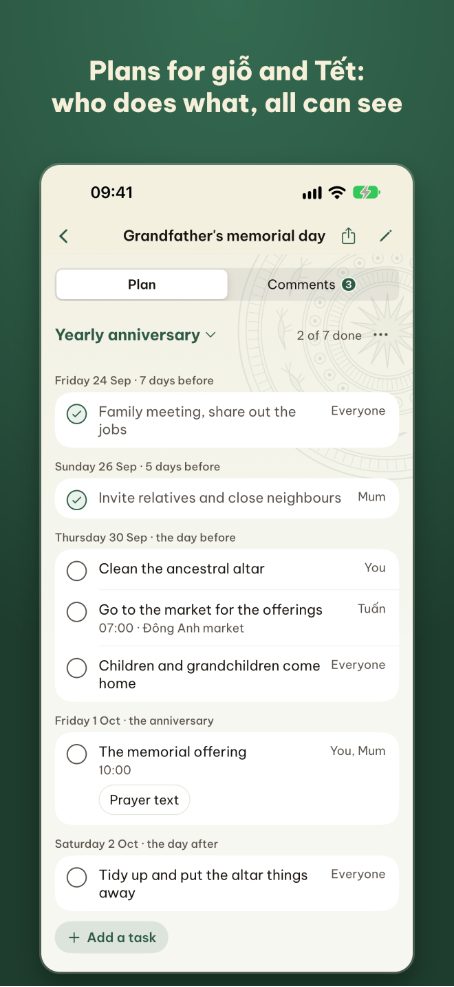
Every group reminder has a plan: what needs doing, how long before the anniversary, and who does it.
- Choose the type of anniversary: first anniversary, final anniversary or yearly anniversary. The suggested tasks follow the type, including the offering on the eve.
- Assign tasks: who goes to the market, who cooks, who comes home early to clean the altar. Anything missing, tap Add a task.
- Mark tasks done: the person assigned ticks off what is done, and the family sees what is left.
Group admins create and edit the plan. People are notified when a task is assigned to them.
When are comments and mentions useful?
When you need to talk right next to the date: who arrives when, how many trays this year, who picks up Grandma.
- Type @ and choose a name to mention someone. They are notified straight away.
- Press and hold a comment to react.
- The conversation stays under that reminder instead of getting lost in a group chat.
Group changes, new comments and new photos are all notified straight away, at any hour.
Where do the photos from each year go?
Each reminder has one shared album, arranged by year. One page shows Grandfather's anniversary table year after year.
- Each photo has its own date. Photos from earlier years can be added too, and their dates changed.
- Everyone who sees the reminder can view the album. Adding photos is part of the Đoàn Viên plan.
Where do the prayer text and customs open from?
Right from the reminder. An anniversary reminder has a Prayer text button that opens the right text: first, final or yearly anniversary, based on the year of passing you entered. The full moon, year-end offering, moving into a new home, opening a business and the first birthday also lead to the text for that rite.
The plan links to an article on the customs of the anniversary type you chose. To read more about each occasion, see Vietnamese customs.
Which screens show the reminder?
Set it on one device, and on the day it finds whichever device you are holding.
- Phones and tablets: a notification at each alert. On a tablet, the list sits on the left and the open reminder on the right.
- The web at nhatnguyet.org: sign in to see reminders, groups, plans, comments and photos on your account page.
- Home screen widget: today's lunar date and the next reminder, without opening the app.
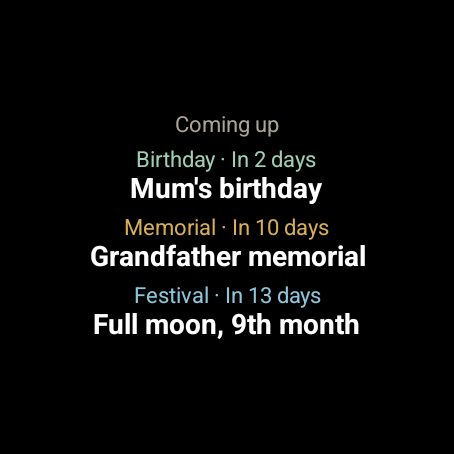
- Apple Watch: the lunar date, the auspicious hours and your family's next three reminders, each with its type and days left.
- A morning brief on Telegram: the lunar date, good hours and upcoming reminders. Turn it on from your account page.
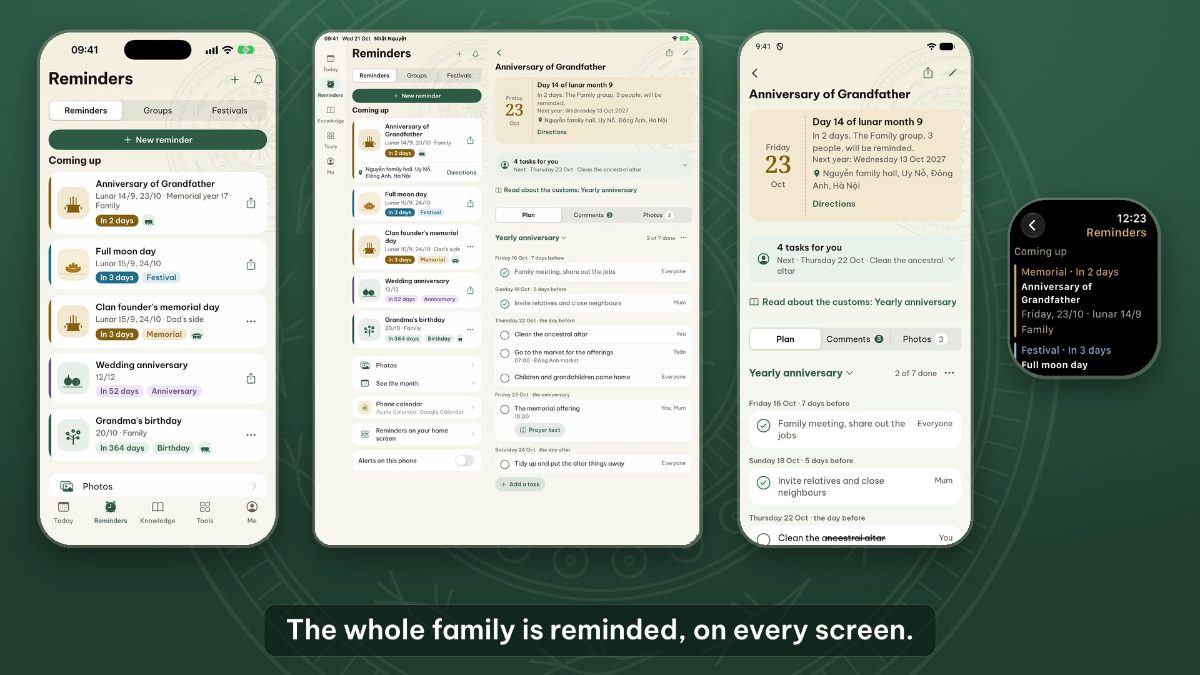
Wear OS watches also show the lunar date, the auspicious hours and upcoming reminders, with an Upcoming reminders tile you swipe to from the watch face.
The watch picks up new reminders whenever you open the app on your phone. The brief lists only reminders on your own account; for a shared reminder someone else set, tap Save to my reminders to have it in the brief.
Quick answers
What if a relative does not install the app?
Go to nhatnguyet.org, sign in with Apple or Google, and tap the invite link to join the group. On the web you can see reminders, plans, comments and photos. To get alerts without the app, connect Google Calendar or your device's calendar from the account page: lunar reminders appear in that calendar, already converted to solar dates.
Who can see a group's reminders?
Only members of the group. A personal reminder is seen only by the person who set it. A reminder leaves the group only if you create a share link for it yourself.
How many groups does the free tier allow?
You can create 2 groups, with 4 people in each. You can join as many groups as other people invite you to.
If someone leaves the group, are their reminders lost?
No. Reminders they set for the group stay with the group, and admins can edit them. To keep a shared reminder for yourself before leaving, tap Save to my reminders.
Can I turn some notifications off?
Yes. Each person can turn off a group's shared reminders from within that group. Group change and comment notifications are turned off separately in the Me tab, under Notifications.
Feedback on Reminders is welcome at [email protected].